All posts by Metis Support

An Explanation of Cyber Security Insurance and Common Claims Filed

An Explanation of Cyber Security Insurance and Common Claims Filed

Feel like you’re jumping into the middle? This is the third post in a four-part series. Check out the first post in this series on Cyber Security

Did you know that more than 43% of cyber attacks target small businesses, who often don’t have the security and technical expertise of larger organizations? That’s according to a report from the Global Cyber Alliance. Not surprising to us at Metis IT; we see these attacks are happening all around us.

Plus, from 2019 to 2020, Coalition, a cyber-security insurance company, reported a 67% increase in the frequency of business email compromise attacks in the first half of 2020, as well as 47% increase in the average ransom demand.

How can you protect yourself then from threats to your data and network? Cyber security insurance, like that offered by our insurance partner Brown & Brown, is a protection product developed to potentially protect businesses from the effects of cybercrimes via malware, ransomware, phishing attacks and other methods attackers use to compromise your network. It can also be referred to as cyber risk insurance.

Here are some of the most common claims seen by providers of cyber security insurance:

  • Funds Transfer Fraud: Through social engineering and phishing, funds are relegated to the attacker rather than the proper recipient.
  • Data Breaches: Personally Identifiable Information (PII) or Protected Health Information (PHI) of your customers is exposed, allowing for the possibility of identity theft.
  • Business email compromise: Email spoofing or phishing attempts can lead to data breaches or funds transfer fraud/loss.
  • Ransomware/malware attacks: Data is encrypted, or systems disabled to proper business personnel, until a ransom is paid; in some cases, data may be exposed if ransom demands are not met.
  • Web application compromise: Targeted attack results in a direct compromise of a web-based product, like an ecommerce platform.
  • Technology errors or omissions: Failure in technology or services causes an interruption of business or even loss on behalf of the customer.

Cyber security insurance can assist businesses of all sizes in various industries in the event of a cyber attack, offering aid or recovering losses resulting from the breach or encryption through malware and ransomware. The insurance may cover hardware or loss of business income during the attack.

One possible bonus of seeking out insurance coverage is the initial assessment of your current cyber security defense. You’ll get a good picture of what you can do to increase the likelihood of fending of the initial attacks and where additional vulnerabilities may lie. Plus, you’ll have an ally to help you battle and recover in the instance of a threat or successful attack.

Insert Quote:

“We strive to provide comprehensive risk management solutions that help protect the information and people our customers value most,” says Carder Dallas, Commercial Sales Executive with Brown & Brown. “We combine integrity, innovation, and experience to offer more than just policies, but real plans for protection.”


How to Get Cyber Security Insurance

  1. Find a broker. Just like car insurance or health insurance, you’ll want to find a reputable representative like our partners at Brown & Brown http://www.bbrown.com/ to provide you with options for your business.
  2. Ask for an assessment. While you might avoid the physical for life insurance, this is not something you want to skip. This is how you understand specific risk factors you may face.
  3. Once you have a good idea of what your options are and what you need, it’s time to customize your policy to meet your business’ needs.
  4. Don’t forget to try out any security tools, subject matter experts or educational opportunities the cyber security insurance company offers to stay up-to-date on the latest topics and tech.

Do you want to learn more about how to protect your company and employees from cybercriminals? Don’t miss our next post!

Sources: 2021 Coalition Cybersecurity Guide, CyberSecurityGuide.org/resources/cybersecurity-101

This post was co-authored with Brown & Brown

Brown & Brown

Phishing, Ransomware, Malware: What Are They, and How Can They Harm Your Business?

Phishing, Ransomware, Malware: What Are They, and How Can They Harm Your Business?

Feel like you’re jumping into the middle? This is the second post in a four-part series. Check out the first post in this series on Cyber Security

Likely no one could have ever imagined a couple of decades ago how vast the reach the internet and technology would be today. Cellphones, tablets and laptops, plus global connectivity are commonplace now. There is an ever-expanding flow of data being created and shared across networks and interconnected digital systems.

And with millions of people depending upon technology, the internet and the constant exchange of information, cybercriminals are seemingly always looking for new and creative ways to hack into systems and steal it for their own gains and purposes.

There are three common ways that they do this, using targeted attacks through phishing, ransomware and malware. Understanding what these are and how they can affect your network security and customers’ private data is exceedingly important in today’s digital climate. These are conversations we at Metis IT have with our clients every day.

First, phishing is a cybercrime which targets emails, text messages or calls by someone posing as a legitimate individual or company to entice the victim to provide personal or private information or money. Often emails are sent with malicious attachments. These attacks are focused on large groups with the hope that at least one victim will be tricked into acting as the attacker wishes. Once the malware attachments are open, cybercriminals can obtain all kinds of information, even potentially stealing the victim’s identity.

Additionally, phishing scams can focus on one or few victims; this is called spear-phishing. Attackers are looking to gain information from specific targets in a strategic way. To target public figures or those with immense wealth or social status is referred to as whaling. Typically, the motive is to extort money from the victim.

The second way cybercriminals target businesses is through malware. This is software developed specifically to damage, disrupt or obtain unauthorized access to a computer system or server.  Delivered via email or by accessing a website, web users may be attacked through virus or spyware designed to infiltrate the network, track the user’s activity, corrupt data or hold devices hostage.

Which brings us to our third way companies may be targeted: ransomware.

Ransomware entails an attacker encrypting data or disabling devices or access to a business’ critical systems or information in exchange for a ransom. This could be extortion for money or a particular action, but the threat is in exposing, sharing, or even selling access to the data or systems if the ransom is not met.

Unfortunately, malware or ransomware may be present in an individual user’s computer or a business network for some time before being noticed. It may lay dormant until directed to activate, or it may only be noticed when the computer begins running slower or experiences frequent crashes.

Having a cyber security defense in place can help prevent these types of nefarious attacks from being successful and potentially halting your business’ productivity. Fortunately, we can discuss with you the options available.  And our friends at Brown & Brown can share information about cyber security insurance and how you can shield your systems, employee-users and data from cybercriminals.

Want to learn more about cyber security and how you can best safeguard your business and its digital presence? Check out our next blog post!

Sources: 2021 Coalition Cybersecurity Guide, CyberSecurityGuide.org/resources/cybersecurity-101, techtarget.com/searchsecurity/tip/10-common-types-of-malware-attacks-and-how-to-prevent-them

This post was co-authored with Brown & Brown
Brown & Brown

Common Terminology for Cyber Security

Common Terminology for Cyber Security

In this 4-part series, we explore the risks and safety nets in the world of Cyber Security. Check back for more posts over the next few weeks!

While the first computer malware virus was created purely by mistake, the ever-increasing damage these malicious software attacks do in the digital age is anything but innocent. Following the global pandemic and the rise in work-from-home situations, plus the dependence upon the internet and emails for business, the number of cybercrimes has exploded. We at Metis IT have seen this increase in cyber security threats in 2022, and, unfortunately, we do anticipate these threats to continue to do so.

This exponential growth has been countered by the rapid development of cyber security tools and resources. Individuals and businesses can benefit from understanding the landscape of cyber security and how they can best protect themselves from cyber threats.

AV – Antivirus – Software designed to detect, defend and destroy computer viruses

Cyber Crime – Illegal activity performed using computers or the internet by rogue individuals or organized crime groups

Cyber Security – Also known as “computer security”; protection of systems and data from harm, theft, or unauthorized access against digital attacks

Data Breach – The result of a cyber attack which exposes confidential, sensitive or protected information to an unauthorized attacker

Email Hosting Provider – A company offering email services by renting out and operating its email servers to users

EDR – Endpoint Detection and Response – an enhanced version of antivirus software; an emerging technology that continuously monitors and identifies, then responds to, threats

Firewall – A security device in the form of computer security software or hardware that restricts internet traffic within an individual or company’s private network

IPS – Intrusion Prevention System – A network security tool which monitors a network for malicious attacks and takes action to prevent it through reporting or blocking it when it does occur

Malware – A combination of the words “malicious software”; any software developed to intentionally disrupt a computer, server, or network, expose private information or obtain unauthorized access

MFA – Multi-Factor Authentication (2FA) – An electronic method of securely verifying a user’s identity through (1) knowledge or something only the user knows (password, security questions), (2) possession, something the user has (a phone or email address), and/or (3) inherence, something only the user is or has (biometric methods, such as face or thumbprint recognition)

Password Manager – A computer program which allows users to generate, store, manage, and retrieve passwords from an encrypted digital vault on a phone, tablet or computer

PHI – Protected Health Information – Private information of patients that may or may not identify them; however, due to national HIPPA laws, this particular data must be protected from disclosure.

Phishing – A type of social engineering where the attacker sends a spoofed or fake deceptive message with the purpose of gaining sensitive or private information

PII – Personally Identifiable Information – similar to PHI; identifiable information that must be kept private to maintain the protection of customers

Ransomware – A type of malware threatening a victim’s personal data by blocking access, damaging files or holding hostage critical systems to extort a ransom

Remote Access – Ability for an authorized user to access a computer or system through a network connection when he or she are physically removed from the system’s location

Social Engineering – Refers to psychological manipulation tactic to exploit human error or confuse people into performing certain actions in order to gain access to personal information, valuables or access

SSL – Secure Sockets Layer – An internet security protocol that allows people to do things like purchase items online securely; SSL become the core of the language for safely using the web, now known as HTTP, or Hypertext Transfer Protocol.

VA – Vulnerability Assessment – A process of identifying and prioritizing the potential vulnerabilities in a computer system, application, and/or network infrastructure

Want to continue building your knowledge of cyber security and how cybercriminals target victims? Watch for our next blog post! Of course, you can contact us directly for tools, resources, answers to your cyber security questions or for insurance options from our partners at Brown & Brown. <http://www.bbrown.com/>

Sources: 2021 Coalition Cybersecurity Guide, CyberSecurityGuide.org, Dictionary.com, Wikipedia.org

This post was co-authored with Brown & Brown

Brown & Brown

IT QBR

The Value Of Consistent IT QBR Meetings

The IT Quarterly Business Review (QBR) helps you position technology to support your internal processes now, as well as meet tomorrow’s organizational objectives. 

Let’s look at Archie’s App World, a business designed to create and buy apps. Run by Archie himself, Archie’s App World is full of top-notch tech professionals. 

But even techies need a helping hand when it comes to managed IT services. That’s why Archie works with an external IT team and takes advantage of every IT QBR on the calendar. 

Archie’s App World does a wonderful job when it comes to adopting technologies and working with its IT provider to build out agile IT roadmaps. An openness to technological innovation and quarterly IT reviews allows Archie’s App World and its managed IT service provider to:

  • Review real-time data and analytics 
  • Strategize next-step actions 
  • Predict outcomes more accurately 

Let’s walk through the IT QBR and see how Archie uses these quarterly meetings to get the most out of his outsourced IT team. 

But first, what is a QBR?

A QBR is a quarterly touchpoint for a business to get together with its client or customer. During these meetings, a business will typically review the impact their product or service had on their customer’s business. It’s also the perfect opportunity to discuss a customer’s future goals and how they can work together to achieve those goals. 

What to expect

Sure, Archie loves building and buying apps. But when it comes to protected IT services? It’s not exactly his passion. 

Using a managed IT service provider allows Archie to focus on what he does best. And by utilizing quarterly reviews with his IT service provider, he can feel confident about the steps they take to protect his company. 

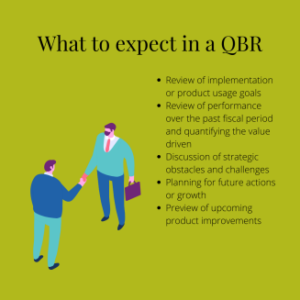
At the most basic level, this is what Archie can expect when he meets with his provider each quarter:

  • Review of implementation or product usage goals 
  • Review of performance over the past fiscal period and quantifying the value-driven
  • Discussion of strategic obstacles and challenges
  • Planning for future actions or growth 
  • Preview of upcoming product improvements 

IT QBR

What are the benefits? 

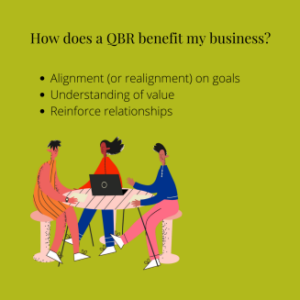
For Archie, the most important benefit of a QBR is ensuring that both parties are aligned when it comes to upcoming goals for Archie’s App World. Walking through these goals allows Archie’s IT provider to draft a plan of action on how they will assist in achieving these goals. And, as an app designer, Archie is all about the small details!

Archie considers himself a pretty calculated guy. He’s never going to spend money on something without understanding the full value of that product or service. So when he does meet with his IT provider each quarter, they always make sure to recap exactly how much value Archie’s App World receives from their services.

Lastly, Archie loves the relationship-building aspect of these meetings. He may spend his days buried in his tech work, but that doesn’t mean he’s not up for a tasty dinner with clients to end a day of meetings!

IT QBR

Why meet for an IT QBR? 

Executive IT consultants act as Archie’s vCIO, meeting with him to better understand Archie’s App World, its objectives, and next action steps. Because almost everything Archie does to grow his business is tied to the capabilities and cost of technology, the IT QBR is an essential quarterly meeting. 

Archie views his managed IT service provider as more than his IT support team. They provide Archie with the technology side of business consulting, so he can take Archie’s App World to the next level without IT roadblocks or speed bumps. In other words, they’re more like a business partner; getting on the same page as Archie and tackling the same goals. 

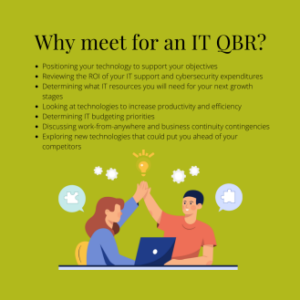
An IT QBR is essential for the following: 

  • Positioning your technology to support your objectives 
  • Reviewing the ROI of your IT support and cybersecurity expenditures
  • Determining what IT resources you will need for your next growth stages
  • Looking at technologies to increase productivity and efficiency 
  • Determining IT budgeting priorities 
  • Discussing work-from-anywhere and business continuity contingencies
  • Exploring new technologies that could put you ahead of your competitors

IT QBR

It’s worth making time for an IT QBR 

The ongoing realignment of your technology to your quarterly objectives and long-term strategy is critical to the pursuit of those goals. 

Keep yourself on target with a regularly-scheduled IT QBR — and, like Archie, watch your business thrive!

How does network continuity benefit your business?

What Is Network Continuity and Why Does It Matter?

Computer networks now serve as the virtualized backbone for businesses around the world.

And it makes sense.

After all, these networks provide us with instant access to information, streamlined communication between computers within the network, and the ability to simultaneously work on a single file with others. Talk about increased efficiency and productivity.

But relying on this heavily-linked infrastructure comes with big risks — like external hacks or threats of malware. It’s imperative that you have a solid disaster recovery plan to safeguard you from any corruption that could take place within your network. Along with this contingency plan comes network continuity, the most effective way to implement a solid backup system for your network.

What is network continuity?

Network continuity ensures that you always have access to internet connection. This guarantees a seamless, uninterrupted network operation with fully integrated 4G LTE failover and failback.

Network continuity also provides continuous access to cloud management, WiFi roaming, self-healing capabilities, hardened security, and built-in safeguards designed to ensure maximum uptime.

How does network continuity benefit your business?

No matter the kind of business you run or the products you sell, any kind of internet downtime can and will affect you.

Network continuity is a guaranteed way to prevent loss of sales and customers — and simultaneously assists with your disaster recovery plan.

Typically, backup systems work and save information in realtime. Without network continuity, backups are impossible when internet service is down.

When a network goes down, your business goes with it. Whether it be for hours or days, a network crash will drastically — and negatively — affect your company. A strong disaster recovery plan can save revenue and clients that may have otherwise been lost. Network continuity protects your business from threats and ensures your network is prepared to handle any situation.

Managed IT: The “break-fix” solution and why it falls short

The Value Of Managed Services

Can you feel the heat?

The pressure is on. Because when your business depends on technology to get work done

(AKA every modern company), that also means you’re responsible for:

  • Defending against increasingly sophisticated online threats
  • Ensuring remote workers have the tools to be productive while keeping files and data secure
  • Making sure your files and data are always available, even when disaster strikes.

Can you successfully run your business and handle all of this on your own?

The “break-fix” solution and why it falls short

The break-fix model is an old-school solution to tech issues. Basically, when something stops working, you call for tech support and pay an hourly rate to fix it. And while that may have worked in the early days of technology and computer networks, it’s an outdated solution that leaves you with the following issues:

  • Unpredictable, unexpected costs
  • Downtime and disruptions that affect employee productivity
  • Responding and reacting to problems, rather than preventing them

Managed services — the smarter, proactive approach to IT

In the managed IT service model, your service provider takes ongoing responsibility for securing, monitoring, and maintaining your IT environment. The services cater to your business’s specific needs. It also creates a solid plan for managing your technology, so it’s prepped for the long run.

Managed services can include:

  • Remote monitoring and management
  • Managed security
  • Managed storage and backups
  • Managed cloud services and platforms
  • Troubleshooting and support
  • Technology strategy and advice

Every business loves security and savings

Managed IT services mean stronger security for your business. You’ll stay protected with a proactive approach to malware and virus detection, software updates, password management, and more.

Plus, managed IT services come with strategic budgeting and predictable costs. The cost structure is entirely tailored to your business — instead of dealing with unexpected costs when something breaks down, you can plan your technology budget with confidence.

A world where productivity and peace-of-mind happily coexist

Managed services offer operational efficiency, or regular maintenance and upgrades that keep your critical computer systems at peak performance. In other words, you can say hello to increased productivity and efficiency.

Plus, with a well-designed data backup and recovery plan, you can get your business back up and running when that inevitable disaster does strike.

The full package is wrapped up with genuine peace-of-mind. With managed services, you’ll be anticipating problems instead of reacting to them. In the end, it’s a better return on your technology investment — and much-needed confidence in your network’s health.

Now, we’ll let the numbers do the talking

87% of businesses without a managed service provider are not confident they can defend against cyber attacks.

48% of businesses are only “somewhat prepared” to recover their IT assets after a disaster or data breach.

96% of businesses with a managed service provider save money on IT costs every year.

IT outsource services

Should Your Company Outsource IT?

Your small or medium-sized business is a crucial part of our global economy. In fact, small and medium-sized firms account for 90% of the world’s business and 50% of its jobs.

However, it’s more difficult than ever to run and grow your business. From digital transformation to remote work and cyber threats, you’re constantly anticipating and responding to trends that impact your business.

As you consider your technology needs for the future, you may encounter the following:

  • Technology isn’t your day job
  • You need help maximizing the value of your technology
  • You need customized services and support

Fortunately, there are a variety of benefits that come with using a managed services provider (MSP). Utilizing an MSP grants you access to the full depth of available expertise, which opens up a wide variety of opportunities to advance your business.

Let’s take a look at the top 4 reasons why organizations like yours are outsourcing IT solutions.

  1. Critical to business needs and growth
    Effective, efficient technology allows employees to be productive and customers to be served well. And with those two pillars in place, your organization can continuously expand Strategic technology guidance is difficult to maintain in-house when your staff is constantly dealing with reactive end-user issues and one or two additional projects that consume their time. An MSP offers dedicated and strategic technical guidance to your organization. In fact, their primary focuses are to review your technology stack, understand your business goals, and align the technology you have and propose improved technologies to best support your business.
  2. Enable focus on core business
    When it comes to technology, many executives express one common challenge: There is too much to manage — from day-to-day operations to long-term technological planning, it can sometimes feel like you’re running a tech company rather than your own business. A managed services provider takes on the burden of technology management, so you can focus on what’s important: Running your business.
  3. Enhances service quality
    In addition to more complicated problems and maintenance, day-to-day technological issues, like forgotten passwords and printer issues, tend to arise. When you’re relying on a small internal IT team, those tasks can become a lot to juggle. And with an overwhelmed IT department comes an entire backlog of end-user issues to resolve, as well as larger problems that need attention. With a managed IT service provider, you’ll have access to a large help desk for those pesky, end-user issues. You’ll also be in contact with dedicated engineers for those bigger issues, like server maintenance, security, and more. Ultimately, this will prevent unnecessary events, like extended downtime or lower productivity — all without overwhelming your IT staff.
  4. Access to intellectual capital
    Hiring and employing the amount of necessary tech engineers is not feasible for a small to medium-sized business. Not to mention the costs associated with maintaining a large number of certifications. Because an MSP is a separate entity entirely dedicated to technology, it can maintain this level of expertise and provide all the benefits to your organization, without the astronomical costs.

Wrap up

A proactive IT solution is both cost-effective and imperative to the health of your organization. Frequent health checks and monitoring will keep your systems up and running so you can focus your efforts on the growth of your organization.

A managed services team will take care of issues before they can become emergencies, protecting your systems, data, and employees in the process.

Start protecting your business with personalized IT solutions from Metis Technology today.

IT Health care

Healthcare is Changing: Is Your Technology Keeping Pace?

The healthcare industry in the U.S. is undergoing dramatic change. Healthcare reform — and more specifically, the Affordable Care Act — continues to reshape the industry, impacting everything from reimbursement models to patient access.

Whether your organization is small or large, IT systems must be fast, scalable, reliable, and secure.

In other words, efficiently managed IT is a must.

How does your organization benefit from an IT services provider?

In the complex digital age, healthcare providers should consider options that maximize their IT operations while simultaneously enhancing patient care quality. A managed IT services provider is also essential in reducing overall costs for your organization — a trend that benefits both small and large companies.

To dive deeper, let’s look at the top 5 reasons healthcare providers are engaging a managed IT services provider.

  1. The perfect blend of services
    A top-quality MSP will offer the perfect blend of security, scalability, reliability, and flexibility. With this approach, your selected MSP can maintain IT services and operations, regardless of the scale of budget available.
  1. Cost efficiencies and reduced TCO
    In the past, your organization may have relied on a fully in-house IT operations team. However, the cost savings associated with using an outsourced MSP can be substantial. Contracting a fully virtual information security office (VISO) can cost much less than the prices associated with an in-house team (i.e., full-time employee salaries, benefits, cybersecurity-specific training, and additional technology and software costs).
  1. Proactive security & compliance
    As someone in the healthcare industry, you understand the importance of proactivity. Staying ahead of your physical health can make a significant difference in the quality of your life. In the IT industry, we like to follow a similar model. Proactive solutions for your IT security are what keep systems stable and running smoothly. With proactive monitoring, Metis Technology can ensure the success of your systems and prevent any issues before they become emergencies. A proactive IT solution is both cost-effective and imperative to the health of your organization. Frequent health checks and monitoring will keep your systems up and running so you can focus your efforts on the growth of your organization.
  1. A tailor-fit IT team
    Increased adoption of managed IT services is the direct result of a shortage of healthcare IT professionals with relevant experience. An effective MSP should act as an extension of your IT team, with the expertise to keep systems running at peak performance. Managed IT services allow organizations to offload routine IT tasks and ensure they get the maximum value from their investment in their own IT team. With an MSP, IT resources can stay focused on next-generation solutions and automation to enhance the quality of patient care.
  1. New technologies & cloud migration
    Knowing they are moving to a more secure solution, migrating to the cloud and/or managed IT services gives peace of mind to an organization. More and more, hospital leaders recognize they can’t keep up with the costs to maintain their own IT and Information Security departments. This motivation to move to managed IT operations often opens the door to new innovations. And MSPs provide cloud transformation and migration services to determine a strategic, cost-effective, and secure roadmap to cloud migration.

Wrap up

Migrating to an MSP can be the turning point for your organization — especially considering the dramatic changes the healthcare industry is experiencing.

A managed IT service provider not only offers peace of mind with more advanced security and proactive solutions, but it can also be a major cost saver for your organization. Plus, with customized solutions and the perfect blend of managed IT services, a quality MSP is there to enhance the overall success of your organization.

Start protecting your business with personalized IT solutions from Metis Technology today

IT planning

How to Keep Your Business Thriving in a World of Risks

Managed Security Can Protect Your Business From Cyber Attacks

In the early 2000s, Cyber Security Risks began to increase their effectiveness, but antivirus (AV) solutions kept small and medium-sized businesses (SMBs) safe. With AV updates, employee training, and software patching, most SMBs were able to avoid the worst of cyber attacks — until now.

Incidents, like the Wanna Cry ransomware attack, which affected organizations across the globe, served as wake-up calls for many that cyber threats are changing, and many companies still aren’t prepared. Many SMB owners know someone who’s been forced to pay a ransom to retrieve data or even had to shut down because data and systems were too costly to restore or weren’t restored as promised. Still, others have experienced cleanup costs from other malware attacks.

Many SMB owners think they won’t be targeted due to their size or small attack surface. Yet, as the chart below shows, that simply isn’t the case. Cyber criminals increasingly target SMBs because it is much easier to circumnavigate their defenses than those of enterprise companies.

The Truth About SMB Security

You are a target: 43% of all cyber attacks targeted small to medium-sized business (SMB) operations in 2018. Shadow IT is a real problem: Your employees are likely using more cloud services than you know about, creating a blind spot for your IT team and your organization’s security.
Passwords are a weak link: Employees often reuse passwords across accounts and use easy-to-guess passwords. Human error is hard to prevent: Your employees may use public Wifi to do their work, accidentally click on phishing emails, or share sensitive data on cloud services or flash drives.
The latest threats elude AV: Weaponized documents, fileless threats, zero-day threats, and ransomware lack signature and can slip through scheduled AV scans. You may have compliance risks: If your SMB works in a heavily regulated business, you could face regulator fines in addition to cleanup costs.
Data sharing: Your partners may not have air-tight security, exposing your data to unauthorized access.

What Can you do About Cyber Security Risks?

It pays to get serious about Cyber Security. Enhancing your security posture can proactively help you harden your defenses and protect yourself from threats before they hit your company networks and disable your business, systems, and data.

When you invest in managed security, you get:

  • A comprehensive solution for all your security needs
  • Cloud-based solutions that are updated automatically with the latest threat data
  • The ability to “rollback” any systems hit with ransomware to a pre-infection state
  • Complete security coverage and simplified cost structures
  • And end to security management headaches and worries

Password Managment System

Password Management and Why It’s Important

Statistically speaking, 78% of attackers use stolen passwords to gain access to business applications. Additionally, 65% of end-users use identical passwords for multiple accounts, and 45% of cyberattacks target small businesses.

What is happening in cybersecurity?

Your passwords are the keys to your entire organization, workflow, and confidential client data.

They have to be protected.

However, 89% of employees admit to retaining access to at least one application from a former employer and 49% admit to logging into and using an account from their former employer.

When thinking about cybersecurity and how it affects your organization, there are some questions you can ask yourself:

  1. How confident are you that your employees are not using the same password for different accounts?
  2. Do you monitor who is using sensitive data and when they are using it?
  3. What is the risk for former employees retaining passwords?

Install a culture of security.

When it comes to cultivating a theme of security in your organization and prevent cyber criminal access to your network, there are some best practices you can follow:

  1. Create complex passwords: Eliminate weak passwords or password reuse.
  2. Design strong access policies: Assign role-based access and lockout former employees.
  3. Protect business applications: Adjust permissions as employees advance or leave.
  4. Anytime, anywhere access: Sync credentials across devices and platforms — on-site, mobile, and cloud.
  5. Reporting for compliance: Meet data privacy and financial regulations.
  6. Run audits and reports: Monitor and audit who is accessing sensitive data and when.

What’s wrong with “free” or consumer-grade password management tools?

With your business at stake, it’s important not to trust anything but enterprise password management with military-grade encryption. Most free and consumer-grade solutions will not guarantee the following:

  • Offer one controllable password service shared across your organization.
  • Mitigate passwords walking out the door with former employees.
  • Give you a centralized way to limit or revoke access.
  • Enable comprehensive usage tracking, auditing, and reporting.
  • Use an encrypted password zero-trust protocol for sharing passwords with us to expedite support tasks.

Wrap up

When it comes to password management, there are a lot of risks involved, especially without professional protection to back up your organization.

With a managed IT provider, you’ll have guaranteed security and feel confident that your passwords are secure and protected. Additionally, managed IT services providers will assist in managing employee system access and lockout former employees.

Lastly, with frequenting auditing and health checks, you’ll always be aware of any issues before they arise.