
Monthly Archives: September 2025

IT Disaster Recovery Plan: What Every Business Must Understand

IT Disaster Recovery Plan: What Every Business Must Understand

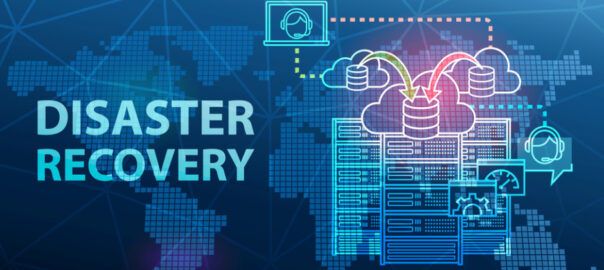
Every business, regardless of size or industry, faces the risk of data loss or IT system failure. An IT disaster recovery plan is crucial to minimizing downtime and getting your business back on track quickly. In the event of a disaster, such as a cyberattack, natural disaster, or hardware failure, having a solid disaster recovery IT plan in place ensures your business can continue operating without losing valuable data or incurring significant downtime.

In this post, we’ll walk you through the basics of an IT disaster recovery plan, why it’s important, and how managed backup and disaster recovery solutions can help safeguard your business.

What Is an IT Disaster Recovery Plan?

An IT disaster recovery plan is a set of strategies and procedures that a business follows to recover its critical IT systems, data, and operations in the event of an unexpected disruption. This plan outlines the steps to take during and after a disaster to minimize data loss and restore business functionality as quickly as possible.

A well-designed disaster recovery IT plan ensures that your business can resume normal operations with minimal impact on your customers, employees, and reputation. It typically includes procedures for backing up data, securing network infrastructure, and restoring critical services, all while maintaining business continuity during the recovery process.

Why Your Business Needs an IT Disaster Recovery Plan

Without a disaster recovery IT plan, your business could be at significant risk. The consequences of not having a plan in place can be severe and can include extended downtime, data loss, and legal or compliance risks. Extended downtime means that your business could be unable to operate for hours, days, or even weeks, leading to lost revenue, decreased customer satisfaction, and a damaged reputation.

If critical data, such as customer information, financial records, and intellectual property, is lost, it can be catastrophic for your business, especially if you operate in a regulated industry or handle sensitive information. Moreover, many businesses are required to comply with data protection laws, and failing to protect customer data or recover it quickly after a disaster can result in legal consequences and hefty fines.

An IT disaster recovery plan helps mitigate these risks by ensuring that your business can recover quickly and efficiently. Having a solid plan in place means your business can continue to operate smoothly despite unexpected disruptions, reducing the impact of downtime, data loss, and legal complications.

Disaster Recovery Testing: Why It’s Important

Regular testing is a vital component of any IT disaster recovery plan. It involves simulating a disaster scenario to ensure that your recovery plan works as expected when needed most. Testing your plan at least once a year, or whenever significant changes are made to your IT infrastructure, ensures that it remains effective.

The primary reason for testing your disaster recovery plan is to identify weaknesses. If gaps or areas for improvement are found during testing, you can address them before a real disaster occurs. Additionally, testing allows you to confirm that your recovery time objectives (RTO) are realistic and achievable.

By performing disaster recovery testing, you can be sure that your plan is not only thorough but also feasible. Lastly, testing is crucial for training your team. Familiarizing your team with the recovery process ensures that everyone knows their roles and responsibilities, making the actual recovery much smoother and faster when a disaster does strike.

Key Components of an IT Disaster Recovery Plan

An IT disaster recovery plan consists of several critical components that work together to safeguard your business against potential disruptions. These components typically include:

  • Risk Assessment: Identifying potential threats and vulnerabilities that could disrupt your business operations, such as cyberattacks, hardware failures, or natural disasters.
  • Backup Strategies: Creating regular backups of important data and IT systems to ensure they can be restored quickly in the event of an incident. This includes cloud-based backups, off-site storage, and automated backup solutions.
  • Recovery Time Objectives (RTO): Determining how quickly you need to restore your IT systems after a disaster. This helps guide your recovery efforts and sets expectations for how long the business can afford to be down.
  • Disaster Recovery Procedures: Developing step-by-step procedures for responding to a disaster, including who is responsible for each task, how to communicate with stakeholders, and how to restore systems and data.
  • Testing and Updates: Regularly testing your disaster recovery plan to ensure it works as expected and making updates as needed to address new threats or changes in your business environment.

At Metis Technology, we offer disaster recovery/business continuity solutions that help businesses plan and execute their disaster recovery strategies with confidence. Our managed backup and disaster recovery services ensure that your data is always safe, and your systems are ready to recover if something goes wrong.

Is your business prepared for the unexpected? Contact us via call at (615) 356‑0066 or fill out our contact form to get started on securing your business today.


 

How Much Do Managed IT Services Cost?

How Much Do Managed IT Services Cost?

When you’re running a business, managing your IT needs can quickly become overwhelming. Between maintaining network security, keeping up with software updates, and handling day-to-day technical issues, it can feel like you’re constantly putting out fires. This is where managed IT services come in. But how much does managed services cost, and what’s included?

In this article, we’ll break down the costs associated with hiring a managed service provider (MSP) like us at Metis Technology, and explain how this investment can help you keep your systems running smoothly, without the hassle. Let’s take a closer look at what you can expect in terms of pricing and how partnering with an MSP can save your business time and money.

What Influences Managed Services Cost?

Managed IT services are often provided through a monthly subscription model. The cost of managed services typically depends on the size of your business and the specific services you need. A small business with a simple IT infrastructure may pay significantly less compared to a larger company with more complex needs.

One of the first things to consider is the type of managed IT services you’re seeking. Managed service providers (MSPs) offer a wide range of services, including network management, cloud services, security, backup, data recovery, and more. The more services you require, the higher the cost. For example, if you need around-the-clock monitoring, proactive maintenance, and disaster recovery, this will typically increase the monthly price compared to basic network support.

Another important factor is the number of devices or endpoints your business operates. Larger businesses with more computers, servers, or mobile devices to manage will often see higher costs due to the increased complexity of their IT environment. The more devices, the more time and resources are required to ensure everything stays secure and operational.

What Are the Average Costs of Managed IT Services?

The average managed service provider cost can vary based on several factors. Typically, businesses can expect to pay between $75 and $150 per user per month for basic managed IT services. This pricing may include network monitoring, updates, and basic help desk support.

For more comprehensive plans that include network security, data backup, and disaster recovery, the cost can be anywhere from $150 to $300 per user per month. These services provide enhanced protection and peace of mind, especially for companies with sensitive data or those operating in regulated industries.

Additionally, there are often tiered pricing models based on your company’s needs. For example, smaller businesses might be able to secure basic support at a lower price, while larger enterprises with more demanding IT infrastructures might opt for a premium package. Companies can also expect pricing to increase if they require custom IT solutions that are tailored specifically to their business.

How Do You Choose the Right Managed Service Provider?

When evaluating managed IT services cost, it’s important to balance the cost with the value you’re receiving. Some companies may try to cut costs by opting for cheaper service providers, but this can often lead to unreliable support or insufficient protection.

Instead of solely focusing on the price, consider the expertise and reputation of the managed service provider (MSP). A trustworthy and reliable MSP, like Metis Technology, offers 24/7 support, a proactive approach to security, and a focus on continuity. It’s vital to ensure that your provider is proactive about managing your IT infrastructure to prevent costly downtime or data breaches.

At Metis Technology, we understand the need for reliable, stress-free IT support. Our managed IT services are designed to save businesses money by preventing major issues before they arise. Our focus on proactive maintenance helps keep your business running smoothly without the worry of IT failures.

What Is Included in Managed IT Services?

When considering managed services cost, it’s important to understand exactly what services are included. Managed IT services generally cover:

  • Network Monitoring & Management: Proactive monitoring of your network to identify and resolve potential issues before they become major problems.
  • Cybersecurity: Protection against cyber threats such as malware, ransomware, and phishing attacks, along with ongoing monitoring and updates.
  • Cloud Services: Solutions for storing data and applications securely in the cloud, allowing for greater flexibility and scalability.
  • Backup & Disaster Recovery: Automated data backup and quick recovery solutions to minimize downtime in the event of an incident.
  • Help Desk Support: Access to an IT support team to troubleshoot issues and resolve any IT challenges quickly.

Each of these services adds value to your business by reducing the risk of downtime and allowing your team to focus on growth.

The Long-Term Value of Managed IT Services

Many businesses view the monthly cost of managed services as an ongoing expense, but it’s important to understand the long-term value that comes with it. With managed IT services, you prevent future costs related to system failures, data loss, and security breaches. The proactive approach taken by a managed service provider (MSP) ensures that your IT infrastructure is always running at its best, reducing the likelihood of costly downtime or repairs.

Additionally, managed services can be an excellent way to scale your IT infrastructure as your business grows. As your company expands, an MSP can adapt and expand the services you require, allowing your business to scale smoothly without the hassle of managing IT internally. This flexibility saves both time and money in the long run, which is often overlooked when considering the cost of managed services.

How to Optimize Managed IT Services for Your Business

To maximize the benefits of managed IT services, it’s crucial to align the services with your business needs. Start by evaluating your business’s size, goals, and IT challenges. A well-structured MSP will assess these factors and customize a package that fits your business.

At Metis Technology, we work closely with our clients to understand their unique needs and create a tailored solution that aligns with their business goals. From managed network security to disaster recovery, we ensure our clients receive the right level of support for their specific needs.

Are you ready to streamline your IT operations and focus on growing your business? Get in touch with us at Metis Technology via the phone at (615) 356‑0066 or fill out our contact form to get started.


5 Best Remote Monitoring And Management Tools For Your Business

5 Best Remote Monitoring And Management Tools For Your Business

With the increasing demand for flexibility, many businesses are turning to remote monitoring and management tools to keep their systems running smoothly. These tools allow companies to monitor networks, devices, and servers from a central location, ensuring they remain secure and operational without being physically present. If you’re looking for the best solutions to streamline your IT management, we’ve got you covered.

What Are Remote Monitoring and Management Tools?

Remote monitoring and management tools allow businesses to oversee their entire IT environment from a centralized location, often in real-time. These tools are designed to monitor systems, networks, and devices, ensuring everything runs smoothly. In case of issues, they provide alerts and allow IT teams to troubleshoot and resolve problems without needing physical access to the systems.

For businesses of all sizes, remote network monitoring tools streamline the process of managing IT systems, boosting operational efficiency while minimizing downtime. With the help of these tools, businesses can gain a comprehensive view of their IT infrastructure, reducing the risk of security breaches and system failures.

Key Features of Remote Monitoring and Management Tools

When evaluating remote monitoring solutions, it’s important to look at the features that set each tool apart. Below are some of the key functionalities you should expect from an ideal remote monitoring and management solution:

  • Real-Time Monitoring: Constant monitoring of your network, devices, and software ensures that potential issues are detected immediately, allowing for quicker resolution.
  • Patch Management: Ensuring that all systems are up-to-date with the latest security patches is essential to maintaining a secure environment.
  • Automated Backups: Regular data backups ensure that your business can recover quickly in case of hardware failure, data loss, or cyberattacks.
  • Remote Access and Troubleshooting: These tools allow IT teams to remotely access systems and devices to fix problems without requiring physical presence, keeping remote workers secure and saving time and resources.
  • Alerting and Notifications: Automated alerts notify the IT team of potential issues, allowing them to address problems proactively before they disrupt business operations.

Best Remote Monitoring and Management Tools

  • Metis Technology Remote Monitoring and Management (RMM)

Metis Technology offers a comprehensive remote monitoring and management solution tailored to your specific needs. Our RMM service provides proactive monitoring of your network, systems, and endpoints, allowing us to detect and resolve issues before they become problems.

What sets our service apart is our focus on preventing downtime through proactive maintenance, real-time alerts, and 24/7 monitoring. Our team of experts is always on hand to ensure your systems are secure, up-to-date, and performing at their best. If you’re looking to improve network security, automate patch management, or simply reduce IT-related disruptions, this remote monitoring solution has you covered.

With Metis Technology’s remote monitoring and management service, businesses can focus on what they do best while leaving the complexities of IT management to experts.

  • SolarWinds Remote Monitoring and Management (RMM)

SolarWinds is a well-established name in IT management, and its Remote Monitoring and Management tool is one of the most popular options available. SolarWinds RMM offers a user-friendly platform that integrates network management, security, and automation. With real-time monitoring, patch management, and alerting, businesses can respond quickly to IT issues before they affect productivity.

SolarWinds is particularly known for its robust network security features. The platform helps detect potential vulnerabilities and automatically applies patches to prevent security breaches.

  • ConnectWise Automate

ConnectWise Automate is a versatile remote monitoring solution designed for businesses of all sizes. It offers advanced automation features that allow IT teams to schedule regular maintenance, automate software updates, and remotely troubleshoot systems. This makes it a great tool for businesses that need to improve efficiency while reducing the burden on internal IT teams.

One of the standout features of ConnectWise Automate is its powerful scripting engine, which enables businesses to automate complex IT tasks and streamline workflows. This tool also integrates well with other business systems, allowing for seamless management of IT infrastructure.

  • Atera

Atera is a cloud-based remote network monitoring tool designed for managed service providers (MSPs) and IT professionals. It combines remote monitoring, patch management, and helpdesk services in one platform. Atera is known for its flexibility and scalability, making it an ideal choice for businesses with growing IT needs.

Unlike many other remote monitoring tools, Atera uses a per-technician pricing model, which makes it more affordable for smaller businesses or those with fewer technicians. Atera also integrates well with a variety of third-party applications, providing a comprehensive IT management solution that can be customized to meet your unique needs.

  • NinjaRMM

NinjaRMM is a simple yet powerful remote network monitoring tool designed for small to mid-sized businesses. Its intuitive interface and ease of use make it an excellent choice for companies with limited IT resources. With NinjaRMM, businesses can monitor devices, manage patches, and provide remote support with minimal effort.

One of the key benefits of NinjaRMM is its straightforward pricing model. Unlike many other tools that charge based on the number of devices, NinjaRMM charges based on the number of technicians, making it a more cost-effective solution for smaller businesses. It also integrates seamlessly with third-party tools and platforms, allowing businesses to tailor the solution to their needs.

Boost Efficiency with Remote Monitoring Tools

Overall, adopting remote monitoring and management tools for your business is an investment in both security and efficiency. These tools enable businesses to monitor systems proactively, address potential issues before they arise, and streamline IT management. If you’re looking to reduce downtime, improve security, or automate routine tasks, a remote monitoring solution can help.

At Metis Technology, we have all the right tools to keep your IT systems running at their best. Our remote monitoring and management services are designed to give your business peace of mind, knowing that your IT infrastructure is being monitored around the clock.

Ready to improve your IT management and security with remote monitoring and management tools? Call us at (615) 356‑0066 or fill out our contact form to get started. Let’s work together to build a more efficient and secure IT environment for your business.