

All posts by Metis Support

Best Practices To Strengthen Your Enterprise Network Security

Best Practices To Strengthen Your Enterprise Network Security

Cyber threats are no longer lurking in the background. They could be in boardroom discussions, IT budgets, and business continuity strategies. Attackers have grown faster, smarter, and bolder. Fog ransomware can spread through targeted networks, encrypting and stealing data in under two hours.

In 2022, phishing accounted for more than half of all cyberattacks worldwide. Additionally, distributed denial-of-service attacks have risen tenfold in less than two decades. An enterprise that depends on constant connectivity faces a serious risk.  A single successful breach can disrupt operations, drive away customers, and cause lasting damage to a company’s reputation.

Enterprises must treat cybersecurity as an operational priority that safeguards data, trust, uptime, and growth. The rising cost of breaches (averaging $4.45 million in 2023) is only part of the equation. Regulators impose heavy fines for mishandling personal and financial information.

Consumers lose confidence in companies that compromise their data. Partners are hesitant to collaborate with organizations that lack robust defenses. All of this makes adopting enterprise network security best practices one of the smartest investments an enterprise can make.

Enterprise Network Security Best Practices

When people hear “network security,” they often think of firewalls or antivirus software. While those tools remain important, real protection requires layers that span infrastructure, identity, and human behavior.

Enterprises have to build defenses that anticipate threats, respond automatically when incidents occur, and recover quickly when systems are compromised.

  • Visibility Across the Entire Infrastructure

The foundation begins with visibility. You cannot defend what you cannot see. Enterprises should create a detailed map of every server, router, switch, and endpoint that touches the network. This includes mobile devices, remote laptops, and cloud-based applications.

A clear view of the infrastructure makes it possible to spot vulnerabilities, shut down unnecessary access points, and strengthen the backbone of the environment.

  • Network Segmentation for Containment

Segmentation builds on that foundation. Dividing a network into smaller zones limits the damage of a breach. If attackers compromise one department, they cannot move laterally into others.

Firewalls placed between zones offer further control, monitor traffic, and block suspicious activity. Segmentation also makes containment easier and key critical systems isolated even under attack.

  • Strong Authentication and Zero-Trust Access

Authentication stands as another layer. Strong passwords alone no longer suffice. Multi-factor authentication adds security with one-time codes, biometrics, or hardware keys. Even if an attacker obtains a password, they cannot easily bypass MFA.

Enterprises adopting a zero-trust model add even more resilience by verifying every user and device at every step. No one, not even internal employees, receives unrestricted access. Instead, access remains limited to the specific resources required for the task at hand.

  • Encryption and Data Loss Prevention

Encryption and data loss prevention further strengthen defenses. Encrypting sensitive data at rest and in transit makes stolen information useless to attackers.

DLP policies stop unauthorized transfers and detect suspicious data flows. Together, these measures prevent leaks and safeguard confidential records. They remain effective even in distributed environments where employees work from multiple locations.

  • Backup Strategies for Resilience

Backup strategies round out the picture. Despite every precaution, breaches and failures still happen. Having redundant data copies stored in secure, off-site environments allows enterprises to recover quickly.

Ransomware loses its bite when an organization can restore systems without paying attackers. Testing these backups regularly helps them remain viable when needed most.

  • Monitoring and Automated Response

Monitoring delivers the early warning system enterprises need. Security information and event management platforms consolidate logs from across the infrastructure, turning them into actionable insights. Intrusion detection and prevention systems layer automation on top, stopping attacks in real time.

These tools identify unusual activity, such as large data transfers, unauthorized privilege changes, or login attempts from unusual locations. Catching anomalies early, enterprises can neutralize threats before they spread.

  • Wireless Network Security

Wireless networks require special attention. Weak Wi-Fi signals or poorly configured access points create an open door for attackers.

Using WPA2 or WPA3 encryption, separating guest traffic from internal systems, and monitoring wireless activity closes many of those gaps. As more employees connect through wireless access points, this layer becomes just as important as traditional wired controls.

  • Securing Remote Work with VPNs

Virtual private networks protect remote workforces. VPNs establish encrypted tunnels that enable employees to access company systems securely from public networks.

With hybrid workforces now the norm, VPNs stand as a core part of enterprise defenses. When paired with endpoint firewalls, they create a layer of protection for every remote connection.

  • Employee Training and Phishing Awareness

No matter how strong the technology, people remain a key variable. Phishing continues to be successful because attackers exploit human trust. Employees must know how to recognize suspicious messages, verify requests, and avoid unsafe links.

Regular training sessions make the workforce part of the defense rather than part of the problem. Awareness programs should simulate real-world threats so employees can practice responses in a safe environment.

  • Mitigating Insider Threats

Insider risks also demand attention. Whether intentional or accidental, insiders pose real threats when they misuse privileges. Strong policies that apply least-privilege access prevent employees or contractors from having more rights than they need. Monitoring privileged accounts and reviewing logs further limits opportunities for abuse.

  • Regular Audits and Updates

Routine audits and updates keep defenses up to date. A misconfigured firewall or an outdated application can become an open door. Security teams must review settings, apply patches quickly, and replace aging devices.

New threats emerge constantly, so the process never stops. Regular reviews keep enterprises aligned with both regulatory standards and different attack methods.

Building a Network Security Best Practices Checklist

A network security best practices checklist provides structure for IT teams. It organizes defenses into clear steps that guide implementation and maintenance. This checklist typically covers infrastructure mapping, segmentation, authentication, encryption, monitoring, wireless safeguards, VPN policies, employee training, insider controls, and routine audits.

The checklist is not a static document. Enterprises must adapt it over time as new threats surface and technologies evolve. Revisiting the checklist during quarterly reviews or after major incidents keeps defenses sharp.

Testing each control in simulated environments can also help validate its effectiveness. A living checklist transforms best practices into daily habits that protect every layer of the enterprise.

Applying Best Practices For Network Security To Real Threats

The theory behind best practices comes to life when applied to real-world attacks. Consider Fog ransomware. Within two hours, it spread through networks, encrypted data, and exfiltrated sensitive files.

Enterprises with segmentation, backups, and intrusion prevention systems were able to contain the threat quickly. Those without such defenses faced days of downtime, heavy ransom demands, and long-term reputational damage.

Phishing remains the most common cybercrime worldwide. Employees trained to spot red flags avoided becoming victims, while untrained users unknowingly gave attackers their credentials. Multi-factor authentication adds another layer of defense, preventing stolen passwords from granting access.

DDoS attacks overwhelmed routers and servers, but companies with anti-DDoS tools and firewalls stayed online. Insider threats can harm organizations lacking effective privilege controls, whereas zero-trust environments help mitigate the damage.

Each scenario demonstrates how best practices turn theory into tangible defense. They reduce risks, contain damage, and protect the continuity of business operations.

Turning Best Practices Into Action

Enterprise network security has become a moving target. Attackers adapt daily, seeking out overlooked vulnerabilities or human errors. Enterprises that treat security as an afterthought put themselves at risk for financial loss, downtime, and damaged credibility. However, those that commit to best practices build resilience into every part of their operations.

At Metis Technology, we guide organizations through this process with managed IT services. Our services integrate proactive monitoring, strategic planning, and network security solutions according to enterprise needs.

If your organization is ready to strengthen its defenses and protect its future, let’s talk. Learn how we can help you implement these best practices.
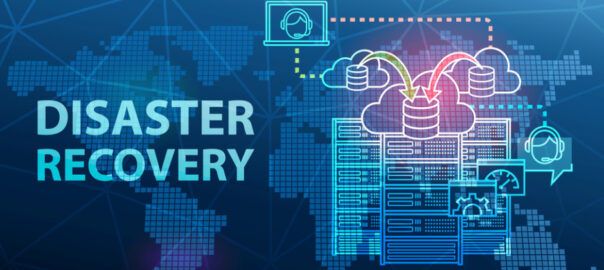
 

IT Disaster Recovery Plan: What Every Business Must Understand

IT Disaster Recovery Plan: What Every Business Must Understand

Every business, regardless of size or industry, faces the risk of data loss or IT system failure. An IT disaster recovery plan is crucial to minimizing downtime and getting your business back on track quickly. In the event of a disaster, such as a cyberattack, natural disaster, or hardware failure, having a solid disaster recovery IT plan in place ensures your business can continue operating without losing valuable data or incurring significant downtime.

In this post, we’ll walk you through the basics of an IT disaster recovery plan, why it’s important, and how managed backup and disaster recovery solutions can help safeguard your business.

What Is an IT Disaster Recovery Plan?

An IT disaster recovery plan is a set of strategies and procedures that a business follows to recover its critical IT systems, data, and operations in the event of an unexpected disruption. This plan outlines the steps to take during and after a disaster to minimize data loss and restore business functionality as quickly as possible.

A well-designed disaster recovery IT plan ensures that your business can resume normal operations with minimal impact on your customers, employees, and reputation. It typically includes procedures for backing up data, securing network infrastructure, and restoring critical services, all while maintaining business continuity during the recovery process.

Why Your Business Needs an IT Disaster Recovery Plan

Without a disaster recovery IT plan, your business could be at significant risk. The consequences of not having a plan in place can be severe and can include extended downtime, data loss, and legal or compliance risks. Extended downtime means that your business could be unable to operate for hours, days, or even weeks, leading to lost revenue, decreased customer satisfaction, and a damaged reputation.

If critical data, such as customer information, financial records, and intellectual property, is lost, it can be catastrophic for your business, especially if you operate in a regulated industry or handle sensitive information. Moreover, many businesses are required to comply with data protection laws, and failing to protect customer data or recover it quickly after a disaster can result in legal consequences and hefty fines.

An IT disaster recovery plan helps mitigate these risks by ensuring that your business can recover quickly and efficiently. Having a solid plan in place means your business can continue to operate smoothly despite unexpected disruptions, reducing the impact of downtime, data loss, and legal complications.

Disaster Recovery Testing: Why It’s Important

Regular testing is a vital component of any IT disaster recovery plan. It involves simulating a disaster scenario to ensure that your recovery plan works as expected when needed most. Testing your plan at least once a year, or whenever significant changes are made to your IT infrastructure, ensures that it remains effective.

The primary reason for testing your disaster recovery plan is to identify weaknesses. If gaps or areas for improvement are found during testing, you can address them before a real disaster occurs. Additionally, testing allows you to confirm that your recovery time objectives (RTO) are realistic and achievable.

By performing disaster recovery testing, you can be sure that your plan is not only thorough but also feasible. Lastly, testing is crucial for training your team. Familiarizing your team with the recovery process ensures that everyone knows their roles and responsibilities, making the actual recovery much smoother and faster when a disaster does strike.

Key Components of an IT Disaster Recovery Plan

An IT disaster recovery plan consists of several critical components that work together to safeguard your business against potential disruptions. These components typically include:

  • Risk Assessment: Identifying potential threats and vulnerabilities that could disrupt your business operations, such as cyberattacks, hardware failures, or natural disasters.
  • Backup Strategies: Creating regular backups of important data and IT systems to ensure they can be restored quickly in the event of an incident. This includes cloud-based backups, off-site storage, and automated backup solutions.
  • Recovery Time Objectives (RTO): Determining how quickly you need to restore your IT systems after a disaster. This helps guide your recovery efforts and sets expectations for how long the business can afford to be down.
  • Disaster Recovery Procedures: Developing step-by-step procedures for responding to a disaster, including who is responsible for each task, how to communicate with stakeholders, and how to restore systems and data.
  • Testing and Updates: Regularly testing your disaster recovery plan to ensure it works as expected and making updates as needed to address new threats or changes in your business environment.

At Metis Technology, we offer disaster recovery/business continuity solutions that help businesses plan and execute their disaster recovery strategies with confidence. Our managed backup and disaster recovery services ensure that your data is always safe, and your systems are ready to recover if something goes wrong.

Is your business prepared for the unexpected? Contact us via call at (615) 356‑0066 or fill out our contact form to get started on securing your business today.


How Much Do Managed IT Services Cost?

How Much Do Managed IT Services Cost?

When you’re running a business, managing your IT needs can quickly become overwhelming. Between maintaining network security, keeping up with software updates, and handling day-to-day technical issues, it can feel like you’re constantly putting out fires. This is where managed IT services come in. But how much does managed services cost, and what’s included?

In this article, we’ll break down the costs associated with hiring a managed service provider (MSP) like us at Metis Technology, and explain how this investment can help you keep your systems running smoothly, without the hassle. Let’s take a closer look at what you can expect in terms of pricing and how partnering with an MSP can save your business time and money.

What Influences Managed Services Cost?

Managed IT services are often provided through a monthly subscription model. The cost of managed services typically depends on the size of your business and the specific services you need. A small business with a simple IT infrastructure may pay significantly less compared to a larger company with more complex needs.

One of the first things to consider is the type of managed IT services you’re seeking. Managed service providers (MSPs) offer a wide range of services, including network management, cloud services, security, backup, data recovery, and more. The more services you require, the higher the cost. For example, if you need around-the-clock monitoring, proactive maintenance, and disaster recovery, this will typically increase the monthly price compared to basic network support.

Another important factor is the number of devices or endpoints your business operates. Larger businesses with more computers, servers, or mobile devices to manage will often see higher costs due to the increased complexity of their IT environment. The more devices, the more time and resources are required to ensure everything stays secure and operational.

What Are the Average Costs of Managed IT Services?

The average managed service provider cost can vary based on several factors. Typically, businesses can expect to pay between $75 and $150 per user per month for basic managed IT services. This pricing may include network monitoring, updates, and basic help desk support.

For more comprehensive plans that include network security, data backup, and disaster recovery, the cost can be anywhere from $150 to $300 per user per month. These services provide enhanced protection and peace of mind, especially for companies with sensitive data or those operating in regulated industries.

Additionally, there are often tiered pricing models based on your company’s needs. For example, smaller businesses might be able to secure basic support at a lower price, while larger enterprises with more demanding IT infrastructures might opt for a premium package. Companies can also expect pricing to increase if they require custom IT solutions that are tailored specifically to their business.

How Do You Choose the Right Managed Service Provider?

When evaluating managed IT services cost, it’s important to balance the cost with the value you’re receiving. Some companies may try to cut costs by opting for cheaper service providers, but this can often lead to unreliable support or insufficient protection.

Instead of solely focusing on the price, consider the expertise and reputation of the managed service provider (MSP). A trustworthy and reliable MSP, like Metis Technology, offers 24/7 support, a proactive approach to security, and a focus on continuity. It’s vital to ensure that your provider is proactive about managing your IT infrastructure to prevent costly downtime or data breaches.

At Metis Technology, we understand the need for reliable, stress-free IT support. Our managed IT services are designed to save businesses money by preventing major issues before they arise. Our focus on proactive maintenance helps keep your business running smoothly without the worry of IT failures.

What Is Included in Managed IT Services?

When considering managed services cost, it’s important to understand exactly what services are included. Managed IT services generally cover:

  • Network Monitoring & Management: Proactive monitoring of your network to identify and resolve potential issues before they become major problems.
  • Cybersecurity: Protection against cyber threats such as malware, ransomware, and phishing attacks, along with ongoing monitoring and updates.
  • Cloud Services: Solutions for storing data and applications securely in the cloud, allowing for greater flexibility and scalability.
  • Backup & Disaster Recovery: Automated data backup and quick recovery solutions to minimize downtime in the event of an incident.
  • Help Desk Support: Access to an IT support team to troubleshoot issues and resolve any IT challenges quickly.

Each of these services adds value to your business by reducing the risk of downtime and allowing your team to focus on growth.

The Long-Term Value of Managed IT Services

Many businesses view the monthly cost of managed services as an ongoing expense, but it’s important to understand the long-term value that comes with it. With managed IT services, you prevent future costs related to system failures, data loss, and security breaches. The proactive approach taken by a managed service provider (MSP) ensures that your IT infrastructure is always running at its best, reducing the likelihood of costly downtime or repairs.

Additionally, managed services can be an excellent way to scale your IT infrastructure as your business grows. As your company expands, an MSP can adapt and expand the services you require, allowing your business to scale smoothly without the hassle of managing IT internally. This flexibility saves both time and money in the long run, which is often overlooked when considering the cost of managed services.

How to Optimize Managed IT Services for Your Business

To maximize the benefits of managed IT services, it’s crucial to align the services with your business needs. Start by evaluating your business’s size, goals, and IT challenges. A well-structured MSP will assess these factors and customize a package that fits your business.

At Metis Technology, we work closely with our clients to understand their unique needs and create a tailored solution that aligns with their business goals. From managed network security to disaster recovery, we ensure our clients receive the right level of support for their specific needs.

Are you ready to streamline your IT operations and focus on growing your business? Get in touch with us at Metis Technology via the phone at (615) 356‑0066 or fill out our contact form to get started.


5 Best Remote Monitoring And Management Tools For Your Business

5 Best Remote Monitoring And Management Tools For Your Business

With the increasing demand for flexibility, many businesses are turning to remote monitoring and management tools to keep their systems running smoothly. These tools allow companies to monitor networks, devices, and servers from a central location, ensuring they remain secure and operational without being physically present. If you’re looking for the best solutions to streamline your IT management, we’ve got you covered.

What Are Remote Monitoring and Management Tools?

Remote monitoring and management tools allow businesses to oversee their entire IT environment from a centralized location, often in real-time. These tools are designed to monitor systems, networks, and devices, ensuring everything runs smoothly. In case of issues, they provide alerts and allow IT teams to troubleshoot and resolve problems without needing physical access to the systems.

For businesses of all sizes, remote network monitoring tools streamline the process of managing IT systems, boosting operational efficiency while minimizing downtime. With the help of these tools, businesses can gain a comprehensive view of their IT infrastructure, reducing the risk of security breaches and system failures.

Key Features of Remote Monitoring and Management Tools

When evaluating remote monitoring solutions, it’s important to look at the features that set each tool apart. Below are some of the key functionalities you should expect from an ideal remote monitoring and management solution:

  • Real-Time Monitoring: Constant monitoring of your network, devices, and software ensures that potential issues are detected immediately, allowing for quicker resolution.
  • Patch Management: Ensuring that all systems are up-to-date with the latest security patches is essential to maintaining a secure environment.
  • Automated Backups: Regular data backups ensure that your business can recover quickly in case of hardware failure, data loss, or cyberattacks.
  • Remote Access and Troubleshooting: These tools allow IT teams to remotely access systems and devices to fix problems without requiring physical presence, keeping remote workers secure and saving time and resources.
  • Alerting and Notifications: Automated alerts notify the IT team of potential issues, allowing them to address problems proactively before they disrupt business operations.

Best Remote Monitoring and Management Tools

  • Metis Technology Remote Monitoring and Management (RMM)

Metis Technology offers a comprehensive remote monitoring and management solution tailored to your specific needs. Our RMM service provides proactive monitoring of your network, systems, and endpoints, allowing us to detect and resolve issues before they become problems.

What sets our service apart is our focus on preventing downtime through proactive maintenance, real-time alerts, and 24/7 monitoring. Our team of experts is always on hand to ensure your systems are secure, up-to-date, and performing at their best. If you’re looking to improve network security, automate patch management, or simply reduce IT-related disruptions, this remote monitoring solution has you covered.

With Metis Technology’s remote monitoring and management service, businesses can focus on what they do best while leaving the complexities of IT management to experts.

  • SolarWinds Remote Monitoring and Management (RMM)

SolarWinds is a well-established name in IT management, and its Remote Monitoring and Management tool is one of the most popular options available. SolarWinds RMM offers a user-friendly platform that integrates network management, security, and automation. With real-time monitoring, patch management, and alerting, businesses can respond quickly to IT issues before they affect productivity.

SolarWinds is particularly known for its robust network security features. The platform helps detect potential vulnerabilities and automatically applies patches to prevent security breaches.

  • ConnectWise Automate

ConnectWise Automate is a versatile remote monitoring solution designed for businesses of all sizes. It offers advanced automation features that allow IT teams to schedule regular maintenance, automate software updates, and remotely troubleshoot systems. This makes it a great tool for businesses that need to improve efficiency while reducing the burden on internal IT teams.

One of the standout features of ConnectWise Automate is its powerful scripting engine, which enables businesses to automate complex IT tasks and streamline workflows. This tool also integrates well with other business systems, allowing for seamless management of IT infrastructure.

  • Atera

Atera is a cloud-based remote network monitoring tool designed for managed service providers (MSPs) and IT professionals. It combines remote monitoring, patch management, and helpdesk services in one platform. Atera is known for its flexibility and scalability, making it an ideal choice for businesses with growing IT needs.

Unlike many other remote monitoring tools, Atera uses a per-technician pricing model, which makes it more affordable for smaller businesses or those with fewer technicians. Atera also integrates well with a variety of third-party applications, providing a comprehensive IT management solution that can be customized to meet your unique needs.

  • NinjaRMM

NinjaRMM is a simple yet powerful remote network monitoring tool designed for small to mid-sized businesses. Its intuitive interface and ease of use make it an excellent choice for companies with limited IT resources. With NinjaRMM, businesses can monitor devices, manage patches, and provide remote support with minimal effort.

One of the key benefits of NinjaRMM is its straightforward pricing model. Unlike many other tools that charge based on the number of devices, NinjaRMM charges based on the number of technicians, making it a more cost-effective solution for smaller businesses. It also integrates seamlessly with third-party tools and platforms, allowing businesses to tailor the solution to their needs.

Boost Efficiency with Remote Monitoring Tools

Overall, adopting remote monitoring and management tools for your business is an investment in both security and efficiency. These tools enable businesses to monitor systems proactively, address potential issues before they arise, and streamline IT management. If you’re looking to reduce downtime, improve security, or automate routine tasks, a remote monitoring solution can help.

At Metis Technology, we have all the right tools to keep your IT systems running at their best. Our remote monitoring and management services are designed to give your business peace of mind, knowing that your IT infrastructure is being monitored around the clock.

Ready to improve your IT management and security with remote monitoring and management tools? Call us at (615) 356‑0066 or fill out our contact form to get started. Let’s work together to build a more efficient and secure IT environment for your business.


Who Needs Managed Services For Better Business Performance?

Who Needs Managed Services For Better Business Performance?

In today’s competitive business environment, technology plays a role in every process, from daily operations to long-term strategy. As companies grow, the pressure to keep systems secure, efficient, and scalable increases. Many organizations find themselves asking a key question: Who needs managed services to stay ahead? The answer often includes businesses across industries that want better performance, predictable costs, and peace of mind with their IT.

Managed services companies step in to fill this gap. By offering a range of proactive solutions such as network monitoring, security, disaster recovery, and remote support, a managed IT service company gives businesses the tools to operate without interruption. This type of partnership creates space for leaders to focus on growth, rather than being weighed down by technology challenges.

Why Managed Services Have Become Essential

The shift toward managed services reflects a broader change in how businesses view IT. Traditional “break/fix” models, where companies only called for help after something broke, have been replaced by proactive monitoring and maintenance. This approach reduces downtime, improves efficiency, and keeps costs predictable.

Managed services also give businesses access to advanced tools and highly trained professionals without the expense of building an in-house IT team. For small and mid-sized organizations, this is particularly valuable. With a managed IT service company, even businesses without large budgets gain access to enterprise-level expertise and solutions.

Industries That Benefit Most from Managed Services

  • Healthcare Organizations

Healthcare providers face strict compliance requirements and handle sensitive patient information. A data breach or system downtime can have serious consequences. Managed services companies help these organizations meet regulations, secure patient data, and keep systems running around the clock. By outsourcing IT needs, healthcare teams can focus more on patient care while resting assured that data remains protected.

  • Financial Institutions

Banks, credit unions, and investment firms rely on secure, always-available systems. Any disruption can harm client trust and lead to financial losses. Managed services create layers of protection against cyber threats and support disaster recovery planning. In this industry, outsourcing IT can also improve compliance and reduce the risk of regulatory penalties.

  • Education and Professional Services

Schools, colleges, law firms, and consulting agencies depend on digital systems to manage records, communicate with clients or students, and deliver services. A managed IT service company ensures that these systems remain accessible, secure, and efficient. With continuous monitoring, staff and students enjoy reliable access to the tools they need without delays or interruptions.

  • Hospitality and Retail

Hotels, restaurants, and retailers rely heavily on guest experience and seamless transactions. Technology underpins everything from booking systems to payment processing. Managed services companies help protect customer data, maintain networks, and support Wi-Fi or point-of-sale systems. The result is a smoother customer journey and improved satisfaction.

  • Construction and Manufacturing

For industries with active work sites and production lines, downtime means more than inconvenience—it disrupts projects and delays delivery. Managed services reduce the risk of downtime with proactive monitoring, while remote support allows teams to keep moving even if problems arise. Access to real-time updates and secure communication channels also enhances collaboration on-site.

The Strategic Value of Managed Services

Beyond addressing immediate IT needs, managed services add long-term value. A proactive partnership allows businesses to plan strategically for growth. Instead of reacting to technology failures, leaders work with experts who provide roadmaps for scaling infrastructure, integrating new systems, and staying ahead of industry trends.

This approach also reduces the burden on internal teams. When routine tasks like system updates, patching, and monitoring are handled externally, employees are free to focus on higher-level initiatives that directly support business goals. The partnership fosters efficiency and a culture of innovation, which are critical drivers of performance.

Cost Savings and Predictable Budgets

Hiring a full in-house IT team can be expensive, especially for smaller organizations. Salaries, training, and benefits quickly add up. A managed IT service company offers access to skilled professionals at a fraction of the cost, with flexible plans that fit different business sizes.

Predictable monthly fees also help businesses manage budgets more effectively. Instead of dealing with unexpected expenses from sudden failures, organizations can plan for IT as a steady operating cost. This financial stability allows leadership to allocate resources more confidently.

Security and Compliance Benefits

Cybersecurity threats are evolving daily, and businesses of all sizes are targets. Managed services companies offer constant monitoring, advanced firewalls, and threat detection systems that go beyond what most businesses could implement internally.

For industries with compliance requirements such as healthcare, finance, and law, managed services provide expertise in maintaining industry standards. This not only reduces the risk of fines or penalties but also builds trust with customers who value secure, professional operations.

Reducing Downtime and Increasing Productivity

Downtime affects both revenue and reputation. A single outage can disrupt operations, frustrate customers, and lead to long-term losses. Managed services address this by monitoring systems 24/7 and identifying problems before they escalate.

Remote support capabilities mean employees can get quick resolutions without waiting for on-site visits. With reliable systems and fewer interruptions, productivity improves. Over time, this creates a measurable impact on business performance.

Who Should Consider Managed Services Now?

While almost every industry can benefit, the businesses that should consider managed services immediately are those experiencing one or more of these challenges:

  • Frequent downtime or recurring IT issues that slow productivity.
  • Growing cybersecurity concerns or lack of internal expertise.
  • Expanding operations that demand scalable IT support.
  • Budget limitations that make hiring full IT teams unrealistic.

For these businesses, partnering with a managed IT service company can deliver stability and growth. By removing the burden of IT management, leaders gain the freedom to focus on strategy, innovation, and customer relationships.

Partnering with the Right Provider

At Metis Technology, we understand that every business is unique. Our managed services are designed to meet you where you are, supporting growth with proactive monitoring, security, and expert guidance. We handle the details of IT so you can focus on running your business with confidence.

If you’re ready to experience the benefits of a reliable managed services partnership, reach out to us today. Let’s talk about how we can create a stress-free IT experience that positions your company for long-term success.


Managed Capacity Vs. Managed Services: Understanding The Distinction

Managed Capacity Vs. Managed Services: Understanding The Distinction

In today’s fast-changing business environment, companies face constant challenges when it comes to managing their IT needs. Technology drives productivity, security, and innovation, yet many organizations still struggle with finding the right support structure. The debate between managed capacity vs. managed IT services has become central to decision-makers evaluating how best to handle their IT investments.

At first glance, these models may seem similar. Both allow businesses to rely on external expertise, reduce in-house overhead, and focus on core operations. Yet the real differences lie in how each model approaches control, cost, scalability, and long-term value. For some, managed capacity delivers short-term flexibility and direct oversight. For others, managed services create an ongoing, proactive relationship designed to improve operations over time. Understanding these distinctions helps businesses select the model that aligns with their vision for growth.

What Is Managed Capacity?

Managed capacity is a model designed to give companies flexible access to skilled IT resources. Instead of hiring permanent staff, organizations rent capacity for specific projects, peak workloads, or transitional periods. This approach is particularly popular for businesses facing temporary skill gaps, seasonal demand, or urgent short-term projects.

One of the defining aspects of managed capacity is control. Internal teams maintain full oversight of strategy, execution, and daily work while external resources are integrated as additional support. It is like expanding the bench with players ready to step in when needed, without the long-term cost of keeping them on payroll.

The financial model reflects this flexibility. Costs are typically tied to hours worked or resources consumed, creating variability in the budget. While this can be cost-effective for immediate needs, it may lead to unpredictability when demand spikes. Organizations must balance the benefits of rapid scalability with the reality of fluctuating expenses.

Managed capacity works well in environments where speed and adaptability are priorities. For example, a company launching a new product might require specialized developers for six months. Instead of committing to permanent hires, they can secure managed capacity resources to cover that period. Once the project concludes, the contract ends and costs are reduced accordingly.

What Are Managed Services?

Managed services represent a different philosophy. Instead of filling gaps on a temporary basis, this model focuses on long-term partnership. Businesses entrust an external provider to handle critical IT functions such as network monitoring, cybersecurity, disaster recovery, remote help desk, and ongoing maintenance.

The defining feature is proactivity. With managed services, the provider continuously monitors systems, identifies risks, and prevents problems before they cause disruption. This approach contrasts with reactive support, where issues are addressed only after they occur. Clients benefit from peace of mind knowing that their IT environment is under constant oversight.

The financial model is also distinct. Costs are predictable, typically structured as a monthly subscription. This stability allows businesses to budget effectively, avoiding the volatility associated with hourly billing or fluctuating project demands. Predictability is often one of the main reasons companies lean toward managed services when evaluating capacity services vs. managed services.

Perhaps the most valuable element is strategic alignment. Providers often assign a virtual Chief Information Officer who works closely with leadership to design technology roadmaps, guide investment decisions, and align IT with long-term business goals. This transforms the relationship from a vendor-client interaction to a collaborative partnership.

Key Distinctions Between Managed Capacity and Managed Services

The two models differ in fundamental ways that affect business outcomes.

Control versus delegation is the first key distinction. Managed capacity places control squarely in the hands of the client. The external team supplements existing staff but does not assume ownership of outcomes. Managed services shift responsibility to the provider, who becomes accountable for performance and results.

Cost variability versus predictability is another. Managed capacity expenses fluctuate based on demand, which can complicate long-term planning. Managed services offer consistent pricing, enabling companies to manage budgets with greater confidence.

Short-term versus long-term also defines the difference. Managed capacity is ideal for projects, transitions, or temporary needs. Managed services are designed for continuity, resilience, and strategic growth.

Reactive versus proactive is the final distinction. Managed capacity tends to respond to immediate needs. Managed services anticipate risks and address them before they escalate into major issues.

These differences are not merely academic. They determine how businesses experience IT support, how stable their operations remain, and how well technology contributes to broader objectives.

Why Choose Managed Services for Growth

The decision to choose managed services often comes down to more than cost. Businesses looking to scale sustainably require more than temporary fixes. Managed services provide the structure, expertise, and foresight that enable growth without the constant cycle of troubleshooting.

With 24/7 monitoring, businesses gain uninterrupted oversight of their networks and systems. Cybersecurity threats are detected early, downtime is minimized, and recovery strategies are ready if disaster strikes. Instead of assigning internal staff to reactive support, leadership can focus on driving innovation, confident that IT operations are secure and reliable.

Additionally, strategic guidance through dedicated vCIO support empowers businesses to invest wisely. Technology is no longer just a supporting function; it becomes an enabler of new opportunities. The proactive model creates an IT environment that adapts as the business evolves, instead of constantly playing catch-up.

In comparison, managed capacity may address an immediate project need but does not deliver ongoing protection or guidance. Once the project ends, so does the support. For organizations looking to thrive in highly competitive markets, continuity and long-term alignment often outweigh short-term flexibility.

When Managed Capacity Is the Right Choice

Despite the advantages of managed services, managed capacity has its place. Certain industries or projects benefit from temporary boosts in expertise. A construction firm that plans to digitize project records may need extra support during the transition but not afterward. A healthcare organization implementing a new compliance system may require specialists for six months or less.

Managed capacity shines in scenarios where agility is paramount and long-term dependency is unnecessary. Businesses retain full control while still benefiting from external skills. The model works best when goals are clearly defined, timeframes are short, and oversight is readily available in-house.

How Businesses Can Decide Between the Two

The decision between managed capacity and managed services depends on more than IT alone. Leaders must consider the overall business context, internal resources, and long-term goals.

If your organization has strong in-house IT leadership and only needs short bursts of support, managed capacity may fit the bill. However, if your team is stretched thin, if cybersecurity concerns are mounting, or if you want IT to serve as a long-term growth driver, managed services create a more sustainable path.

Ultimately, the distinction lies in strategy. Managed capacity solves immediate issues but leaves the long-term direction to the client. Managed services assume responsibility for the health and strategy of IT, creating a partnership that grows with your business.

The Role Of Proactivity In Modern IT

One of the biggest shifts in the technology world is the transition from reactive to proactive management. Businesses can no longer afford to wait for downtime, breaches, or system failures before taking action. The cost of disruption is too high, and the pace of innovation too fast.

This is where managed services deliver unmatched value. Continuous monitoring identifies patterns, predicts risks, and strengthens resilience before problems escalate. Proactivity not only saves money but also protects reputation, compliance, and customer trust. Managed capacity, while useful, does not carry this proactive focus.

Making the Distinction Clear

When comparing managed capacity vs. managed services, the core difference is perspective. One model emphasizes filling gaps and retaining control. The other emphasizes long-term partnership, stability, and foresight. Both models have merit, but they serve different purposes.

Businesses that recognize the importance of uninterrupted IT support, strategic planning, and consistent budgets often gravitate toward managed services. Those with immediate project needs and strong in-house leadership may prefer the flexibility of managed capacity. The key is aligning the model with business goals, not just technology requirements.

Partnering with Metis Technology

At Metis Technology, we understand that no two businesses face the same IT challenges. Some require immediate support to complete a project, while others need long-term guidance to achieve growth. Our managed services are designed to create a stress-free IT experience, combining 24/7 monitoring, dedicated vCIO support, and comprehensive solutions that scale with your business.

We see ourselves as more than a vendor. We are a partner in your success, focused on aligning technology with your goals. By taking on the responsibility of monitoring, securing, and guiding your IT operations, we free your team to focus on what matters most: running and growing your business.

8 IT Outsourcing Trends Impacting Small And Large Businesses

8 IT Outsourcing Trends Impacting Small And Large Businesses

The rapid evolution of technology continues to reshape how organizations operate, adapt, and grow. Both small businesses and large enterprises are leveraging IT outsourcing more than ever to stay competitive, scale efficiently, and manage costs without sacrificing quality. By understanding the most relevant IT outsourcing trends, companies can make informed decisions when working with IT outsourcing companies and gain a long-term edge in their industry.

From Vendors to Strategic Partners

One of the most significant shifts in outsourcing is the transition from transactional vendor relationships to collaborative partnerships. Companies are no longer satisfied with IT outsourcing companies that only complete tasks on demand. They want a partner who understands the bigger picture, aligns with their objectives, and brings strategic insights to the table.

This change reflects the growing complexity of technology and the need for more than just technical execution. Small businesses often lack internal IT leadership, so they rely on outsourcing partners for guidance on growth, planning, and efficient technology use. Larger enterprises face their own challenges, such as managing global operations and integrating diverse systems. For them, an outsourcing partner must have the ability to create tailored strategies that work across borders and meet high compliance standards.

When outsourcing relationships move beyond short-term projects, businesses experience more consistent results. A trusted partner builds continuity into IT operations, strengthens trust between teams, and fosters innovation that extends across the entire organization. Instead of reacting to issues, these partnerships focus on planning, improving, and adapting to future needs.

The Influence of Artificial Intelligence and Machine Learning

Artificial intelligence (AI) and machine learning (ML) are no longer optional tools. They are actively transforming IT outsourcing. Service providers use AI to analyze data, automate support, predict risks, and improve response times. For example, predictive analytics helps companies foresee system failures before they occur, allowing for proactive maintenance.

AI also plays a role in customer service through chatbots and virtual assistants. These tools help small businesses extend support without needing to expand in-house teams. Larger companies benefit from advanced data modeling that guides strategy and improves operational efficiency. This technology empowers outsourcing partners to add more value than ever before.

Robotic Process Automation for Efficiency

Repetitive and time-consuming tasks often drain internal resources. Robotic Process Automation (RPA) is addressing this challenge by streamlining operations such as data migration, testing, and back-office workflows. Outsourcing partners can now incorporate RPA to handle large volumes of routine tasks quickly and accurately.

For small businesses, this means reducing costs and freeing employees to focus on customer-facing work. Large corporations, on the other hand, can increase productivity and reduce errors across multiple departments. By leveraging RPA, outsourcing becomes not only about cost savings but also about improved service delivery.

The Rise of Cloud-Native and Multi-Cloud Strategies

Cloud computing has been a standard part of outsourcing for years, but the trend is now moving toward cloud-native solutions and multi-cloud adoption. Cloud-native applications are designed to take full advantage of scalability, agility, and resilience. Multi-cloud strategies allow businesses to spread workloads across multiple providers, reducing risks of downtime and increasing redundancy.

Small companies benefit from the scalability of cloud solutions without large upfront investments in hardware. Large businesses gain flexibility by choosing the best services from different providers. Outsourcing partners with cloud expertise are becoming invaluable in guiding clients through this complex and rapidly changing environment.

Hybrid Infrastructure for Balance and Security

Not every business can operate entirely in the cloud. That is why hybrid infrastructure, a blend of on-premise systems and cloud platforms, has become increasingly popular. This approach balances the need for flexibility with requirements for data security, compliance, and performance.

For smaller organizations, hybrid setups can provide the confidence to experiment with cloud technologies while still keeping sensitive data secure. Larger enterprises use hybrid infrastructure to integrate legacy systems with modern applications. Outsourcing partners that support hybrid models play a vital role in ensuring smooth integration and ongoing security.

Data-Driven Outsourcing Decisions

Decision-making within outsourcing is increasingly guided by data. Instead of relying on assumptions, businesses are turning to analytics and predictive tools to determine which functions to outsource, which vendors to choose, and how to measure outcomes.

This shift benefits small companies by reducing risks tied to limited resources. Larger enterprises gain clarity when managing complex outsourcing portfolios across multiple regions. Data-driven approaches lead to smarter vendor selection, measurable performance benchmarks, and stronger alignment with long-term goals.

Low-Code Development and Faster Delivery

Speed is vital in today’s digital landscape, and low-code development platforms are helping outsourcing providers deliver faster results. These platforms allow business users with limited coding knowledge to participate directly in application creation, accelerating timelines and reducing bottlenecks.

For smaller businesses, this means they can get new applications or systems running faster without relying heavily on in-house IT expertise. Large corporations benefit by empowering cross-department collaboration while keeping their technology roadmaps on track. Outsourcing companies that embrace low-code platforms deliver greater flexibility and responsiveness.

Risk Mitigation and Long-Term Control

While outsourcing offers many benefits, it also carries risks such as vendor lock-in, hidden costs, or limited control. That is why businesses are increasingly adopting models like Build-Operate-Transfer (BOT), using multivendor strategies, and negotiating flexible contracts. These practices give companies ownership of their code, stronger exit strategies, and greater independence.

For small businesses, this minimizes the fear of being tied to one provider without options. Larger enterprises can structure outsourcing relationships that maintain long-term control over technology investments. Service providers that prioritize client autonomy are helping businesses safeguard their future.

Embracing the Future of Outsourcing with Confidence

The landscape of IT outsourcing is evolving rapidly. From AI and automation to hybrid cloud strategies and risk-mitigation models, these trends are reshaping how businesses of all sizes approach outsourcing. Small businesses gain access to advanced technology and expertise they might not afford in-house, while large enterprises strengthen efficiency, scalability, and security.

At Metis Technology, we see ourselves as more than just a service provider. We are a partner committed to helping businesses thrive in this ever-changing environment. By staying ahead of these IT outsourcing trends, we deliver solutions that not only solve today’s challenges but also prepare our clients for tomorrow’s opportunities. If you are ready to experience outsourcing as a path to growth and resilience, we invite you to connect with us and explore how we can shape the future of your IT together.

Windows 10 End of Support

Windows 10 End of Support

Microsoft’s official support for Windows 10 ends on October 14, 2025, which means no more critical security updates or technical assistance. To ensure your systems remain protected, we recommend upgrading to Windows 11 or exploring alternative solutions before the deadline.

Windows 10 is no longer supported!

Microsoft’s official support for Windows 10 ended on October 14, 2025, which means no more critical security updates or technical assistance. To ensure your systems remain protected, we recommend upgrading to Windows 11 or exploring alternative solutions immediately.

Our team has been proactively reaching out to our clients to discuss your upgrade options, assess compatibility, and create a seamless transition plan tailored to your needs. Whether you require hardware upgrades, software migrations, or enrollment in Microsoft’s Extended Security Updates (ESU) program, we’re here to make the process effortless for you.

Don’t wait—contact us today with any questions, or expect to hear from us soon as we begin scheduling upgrade consultations. Your security is our top priority!

2023's Top Five Frustrations for IT Directors (And How to Solve Them!) 

2023’s Top Five Frustrations for IT Directors (And How to Solve Them!) 

The every day work of an IT director comes with its fair share of frustrations. Regular challenges like outdated technology, lack of communication and budget constraints can present even more hurdles on an already difficult day.  

In this blog we walk through this year’s (that’s 2023 if you weren’t aware) most common setbacks IT directors face and present some solutions to help ease the pain! 

  1. Working with outdated technology: Keeping up with all the latest technology can be difficult and costly for many organizations. As a result, many IT directors have to manage systems that are out-of-date or hard to maintain. This often leads to frustration, especially when it takes longer than expected to get past-due projects done and out of the way. 

    A great way to solve or prevent this problem is by investing in a good maintenance plan for your existing technology. This will ensure that your systems are kept up-to-date and running smoothly. Additionally, you may want to consider investing in new technology as well so you can gradually phase out the old and outdated systems. Of course, you could call us to help you get started. 

  2. Poor communication between departments: Communication is always a key component in any organization but can be especially challenging when dealing with multiple departments. Even if IT directors are able to communicate effectively within their own team, getting other departments on board can be an issue due to lack of understanding or interest in the technical processes involved. 

    One way to solve this problem is by holding regular meetings with representatives from each department to ensure that everyone is on the same page. Additionally, you may want to consider hiring a dedicated communications specialist who can act as a liaison between the IT department and other departments within the company. 

  3. Struggling with security challenges: Cybersecurity threats are one of the biggest issues facing organizations today and IT directors have the daunting task of making sure everything is secure while still allowing access and use as needed. It’s a constant battle against evolving threats and this can lead to frustration as managers continually look for ways to keep systems safe and secure. 

    One way to solve this problem is by staying up-to-date on all the latest security threats and implementing best practices protocol within your organization. Additionally, you may want to consider investing in a good security system so you can have peace of mind knowing that your systems are well protected. 

  4. Dealing with budget constraints: With limited funds or resources available, some IT directors have difficulty meeting the demands of their roles efficiently or effectively due to lack of financial support from higher ups. This can lead to time being wasted trying to stretch existing budgets or find ways around them altogether.One way to fix this problem is by being proactive about asking for additional funding when necessary. Additionally, you may want to try and find ways to save money such as negotiating better rates with vendors or looking for cheaper alternatives to certain products or services.


  5. Managing user complaints and expectations: Many times users may not understand why certain things can’t be done or take too long which can quickly lead complaints about slow service or unresponsive technology solutions from IT teams. This frustration often stems from expectations not being managed properly by both parties as well as lack of user education on topics such as basic tech literacy skills . 

    A possible solution to this problem is providing users with more information about what they can expect in terms of service levels and response times. Additionally, you may want to offer training or educational materials on various topics so users can become more knowledgeable about how the IT department works and what they can do to help reduce frustration levels. 

These simple solutions may not completely remove the presence of issues for your company’s IT department, but they will provide structured ways to provide for an easier, more efficient work day! 

8 Best Practices for Avoiding Cyber Security Attacks

8 Best Practices for Avoiding Cyber Security Attacks

Feel like you’re jumping into the middle? This is the last post in a four-part series. Check out the first post in this series on Cyber Security

While attackers do typically look to exploits weaknesses in cyber defenses, Coalition, a cyber security insurance company, stated 60% of claims from 2019 to 2020 resulted from human error. Likely many of those could have been avoided through education and understanding of cyber security protocols.

Here are some of the ways Metis IT can aid you in implementing a cyber security-focused infrastructure to better protect your business and your customers from potential cybercrimes or breaches.

  1. Increase Email Security

Email has become common in our daily lives, both personally and professionally. But unfortunately, email is not a secure form of communication. In more than half of claims, email is the point of entry for attacks that resulted in data or financial losses. To increase security, consider an Email Hosting Provider (a platform that manages your email traffic) experienced in cyber defense and initiating a Mail Proxy, which works with an email service provider to filter out malicious emails.


  1. Implement Multi-Factor Authentication

Did you know that four out of five email intrusions happen because of weak or stolen passwords1? Using Multi-Factor Authentication increases security to your email, network or other business-critical systems. Some MFAs use text messages, and others use emails or phone calls to verify the identity of the person logging in. It’s likely people will be familiar with Google’s Two-Factor Authentication (2FA).


  1. Maintain Good Data Back-ups and Regularly Update Software

Frequently backing up your data and updating software could make or break you in the case of a ransomware attack. If your critical systems become encrypted, recent full back-ups and current software could mean you are up and running with a full recovery rather than dealing with a complete loss.


  1. Secure Remote Access

The global pandemic shifted the landscape from office-based to work-from-home, bringing about a whole new set of additional risks as company’s gave employees remote access. To increase the security of remote access, consider implementing an access management or authentication proxy, encryption, requiring stronger passwords, and limiting access or authorization to critical business data.

  1. Use a Password Manager

Since it recommended to use varied passwords with a mix of numbers, letters and symbols, using a password manager increases the likelihood that employees will follow through with this practice. The password manager works like a vault, storing all the unique application and platform passwords encrypted behind one singular master password.


  1. Scan for Malicious Software Often

Imagine for a moment how many people have to access your networks or send and receive emails within your business. Each one of those touches provides an opportunity for an attack. Having antivirus software in place and regularly scanning for viruses, worms and other malware lessens the probability of something getting into your network. Plus, Endpoint Detection and Response, EDR, is an enhanced version of antivirus software that can identify, detect and prevent threats to your cybersecurity.


  1. Encrypt Data

By encoding your data, you essentially hide it from anyone who gains access to it through malicious intents. Encryption helps you protect private information and adds to the security of communications between client applications and servers as well as external communications.


  1. Raise Awareness of Cyber Security

Seems like a no-brainer, but this is sometimes the overlooked link in the armor. Since cybercriminals are going to target anyone from rank-and-file workers to C-Suite level, small businesses to large corporate organizations, making everyone aware of cybersecurity protocols – and ensuring they are implementing them – is crucial to being vigilant and avoid them becoming victims of an attack that affects the whole company.

Bonus:

  1. Purchase Cyber Security Insurance

Even if you do follow all the best practices, cybercrimes can still occur. In the case of a successful breach, wouldn’t you rather know that you are covered? Cyber Security Insurance coverage, such as those protections offered by our partners at Brown & Brown <http://www.bbrown.com/> may mitigate the damage and/or losses resulting from the malicious attack.

Sources : 2021 Coalition Cybersecurity Guide, CyberSecurityGuide.org/resources/cybersecurity-101

This post was co-authored with Brown & Brown

Brown & Brown